Summary: A cloud contact center manages customer interactions over the internet across voice, chat, email, and social channels; the global market is valued at $22.88 billion in 2026.
The way US businesses handle customer communication is changing at an unprecedented pace. The cloud contact center software market is valued at $22.88 billion in 2026 and is projected to reach $40.59 billion by 2030, growing at a 15.4% CAGR, according to a Research and Markets report. For organizations still relying on legacy phone systems, the cost of inaction is rising every quarter. Whether you serve patients, legal clients, or retail shoppers, the pressure to deliver seamless, round-the-clock service has never been greater. If your team is evaluating how to modernize, our AI receptionist is one example of how automation bridges the gap between outdated hardware and modern customer expectations.
This guide explains what a cloud-based contact center is, how it works, and why it has become the default deployment model for organizations of every size. You will also find a clear framework for evaluating platforms, along with the features and pricing considerations that matter most in 2026.
What Is a Cloud Contact Center and Why Does It Matter?
A cloud contact center is a software platform hosted on internet servers that manages all inbound and outbound customer interactions across multiple channels: voice, email, live chat, SMS, and social media. Unlike traditional on-premises systems that require physical hardware installed at your location, a cloud contact center delivers its full functionality through a web browser or dedicated application. Agents simply need a computer, a headset, and a stable internet connection to get started.
The distinction between a cloud contact center and a cloud call center is worth noting. A call center focuses primarily on telephone conversations, handling inbound queues and outbound dialing. A contact center, by contrast, unifies every communication channel into a single workspace. This means your agents can switch between a phone call and a live chat without losing context, creating what the industry calls an omnichannel experience.
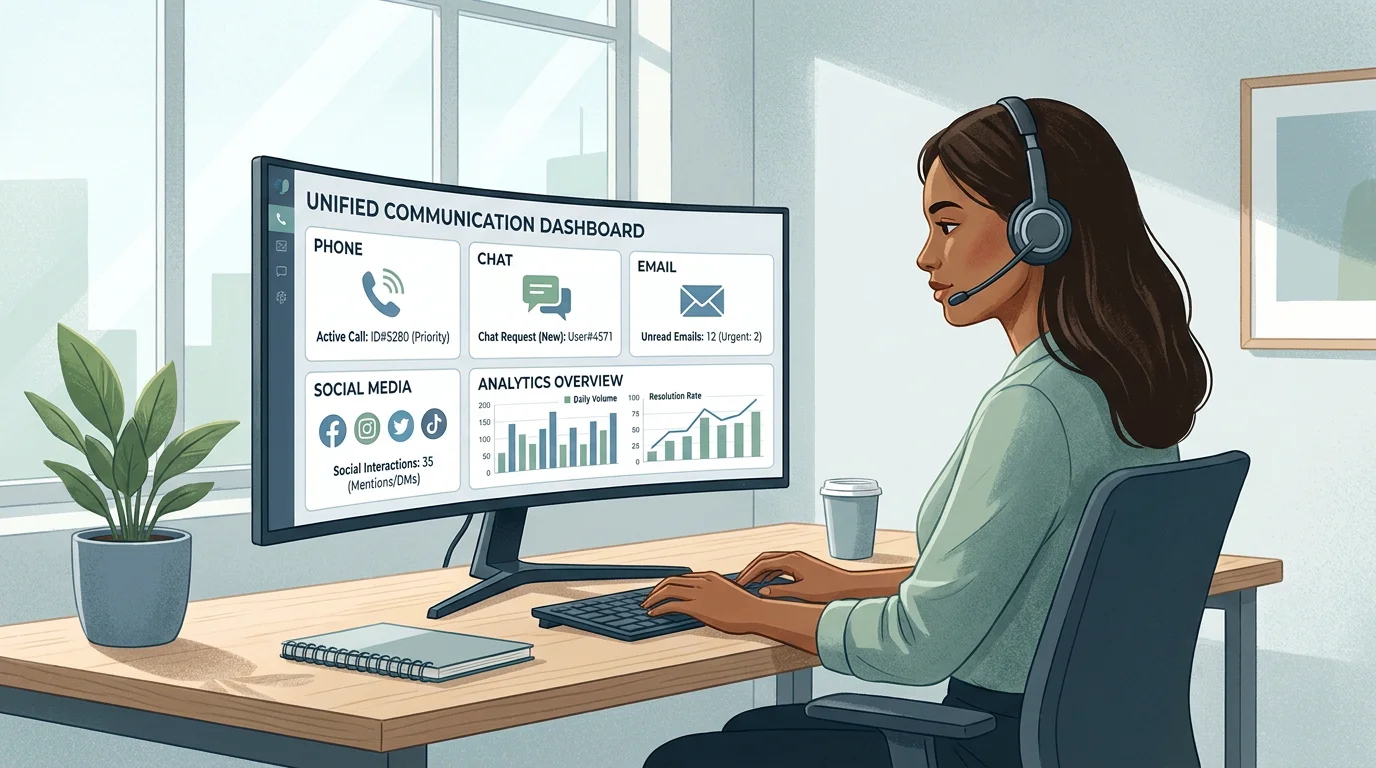
CCaaS migration is now the baseline, not the finish line; the real differentiator lies in how effectively enterprises use that cloud foundation to deploy AI without increasing security, compliance, or workforce risk. In practical terms, every feature, from intelligent routing to real-time analytics, lives in the cloud and receives continuous updates from the provider.
How Does a Cloud Contact Center Work?
Understanding the architecture helps you evaluate platforms with confidence. A cloud contact center operates on a layered infrastructure, each layer handling a distinct responsibility.
- Cloud infrastructure layer: Distributed data centers provide compute power, storage, and redundancy. Failover systems ensure high uptime and disaster recovery.
- Communication layer: Voice calls use VoIP technology (Voice over Internet Protocol) instead of traditional phone lines. Protocols such as SIP and WebRTC deliver low-latency, high-quality audio.
- Application layer: Agent dashboards, routing logic, and interaction management tools sit here. This is the interface your team uses daily.
- Data and analytics layer: Every interaction generates structured data. Sentiment analysis, average handle time, first-call resolution, and customer satisfaction scores are tracked in real time.
- Integration layer: APIs connect the contact center to your CRM, billing software, helpdesk tools, and marketing platforms.
When a customer reaches out through any channel, the system identifies them by matching their details against your CRM records. Natural language processing classifies the intent of the inquiry, and skills-based routing directs the interaction to the most qualified available agent. After resolution, the system logs the conversation and updates all connected records automatically.
Cloud Contact Center vs. On-Premises: A Side-by-Side Comparison
Many US businesses still operate legacy systems that were installed years ago. While these platforms were once reliable, the gap between on-premises and cloud capabilities widens each year. The table below highlights the most critical differences.
| Criterion | Cloud Contact Center | On-Premises Contact Center |
|---|---|---|
| Setup Time | Days to weeks; no physical installation | Weeks to months; requires on-site wiring |
| Upfront Cost | Minimal; subscription-based pricing | High; hardware, licenses, and installation |
| Scalability | Add or remove agents in clicks | Requires additional hardware and setup |
| Remote Work | Full support; agents work from anywhere | Limited to the physical office location |
| Maintenance | Provider handles updates and security | In-house IT team responsible |
| Integrations | Seamless API connections to CRM, billing, and more | Complex, often requiring custom development |
| AI Capabilities | Continuously updated with AI routing, chatbots, analytics | Limited to existing feature set |
| Security | Enterprise-grade encryption; shared compliance model | Full in-house responsibility |
The on-premises deployment segment still accounted for 53.55% of total contact center software market share in 2026, though it is likely to experience declining growth due to high investment costs, according to Fortune Business Insights. The trajectory is clear: cloud adoption is accelerating while on-premises deployments shrink.
Key Features to Look for in a Cloud Contact Center Platform
Not every platform delivers the same value. When evaluating solutions, focus on the features that directly affect agent productivity, customer satisfaction, and operational visibility.
Omnichannel Communication
Your customers expect to reach you on the channel of their choice. By 2026, omnichannel solutions are projected to account for 45% of the CCaaS market, driven by customer preferences for seamless, multi-channel communication, as reported by Market.us. A strong platform unifies voice, email, chat, SMS, and social media into a single agent workspace so no conversation falls through the cracks.
Intelligent Routing and IVR
Advanced routing engines direct each interaction to the best-matched agent based on skills, language, availability, and customer history. Interactive voice response (IVR) systems greet callers, collect preliminary information, and offer self-service options before a live agent is needed.
Real-Time Analytics and Reporting
Live dashboards let supervisors monitor call volume, wait times, agent performance, and customer sentiment as interactions happen. Historical reporting uncovers trends that inform staffing decisions, training programs, and process improvements.
AI-Powered Automation
By 2026, AI extends well beyond chatbots and scripted virtual assistants. Enterprises expect AI to be embedded natively across the full contact center lifecycle. This includes automated call summaries, predictive routing, real-time agent coaching prompts, and virtual agents that resolve routine inquiries end to end. Businesses in healthcare, legal services, and financial services benefit enormously from AI that handles appointment scheduling and FAQ responses outside business hours.
Workforce Optimization
Forecasting tools predict call volume and recommend optimal staffing levels. Quality management features let supervisors score interactions and deliver targeted coaching, while schedule adherence tracking keeps operations running smoothly.
CRM and Third-Party Integrations
Seamless integration with your existing CRM, billing, and helpdesk systems eliminates data silos. Agents see a unified customer profile the moment an interaction begins, which reduces handle time and improves resolution rates.
The AI Advantage: How Automation Is Reshaping Contact Centers
Artificial intelligence is no longer a future promise; it is the defining competitive edge in contact center operations today. Growth in the forecast period can be attributed to expansion of omnichannel communication channels, adoption of AI and automation tools, integration with analytics platforms, growth of hybrid and public cloud deployments, and increasing focus on customer experience optimization.
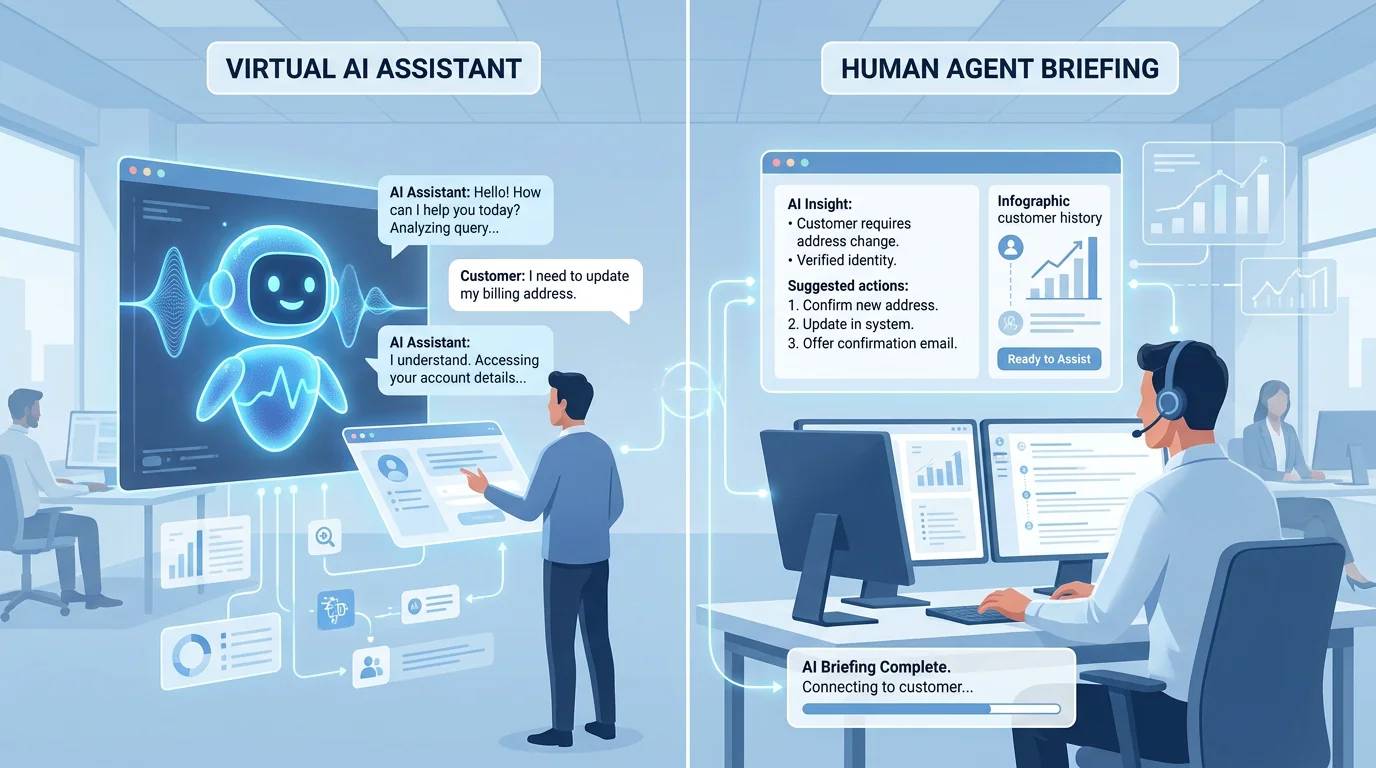
For industries such as dental practices, real estate agencies, and sales organizations, AI-driven automation solves a persistent problem: missed calls outside business hours. An AI voice agent can answer calls 24/7, schedule appointments, respond to frequently asked questions, and route complex inquiries to a human agent the next business day. We designed our cloud contact center products with exactly this workflow in mind, combining AI automation with live agent tools in a single integrated platform.
For enterprise contact centers, security and compliance have elevated from operational concerns to board-level priorities; in 2026, AI-enabled contact centers face heightened scrutiny around identity verification, fraud detection, auditability, and third-party AI governance. Any platform you evaluate should offer bank-grade encryption, multi-factor authentication, and compliance certifications relevant to your industry.
How Much Does a Cloud Contact Center Cost?
Pricing models vary, but most providers use a per-user, per-month subscription. This replaces the large upfront capital expenditure of on-premises systems with a predictable operating expense. Factors that influence your monthly cost include team size, the features and channels you need, call and message volume, level of support, and the number of integrations.
For small and mid-market businesses, entry-level plans can start as low as $16.99 per user per month and scale up with advanced features such as AI analytics, workforce management, and custom integrations. To explore transparent, tiered options designed for businesses of all sizes, visit our contact center pricing page.
78% of consumers report that their perception of a brand was permanently altered by a single interaction with a contact center. The cost of choosing the wrong platform, or delaying the decision entirely, is measured not just in subscription fees but in lost customer loyalty.
How to Choose the Right Cloud Contact Center Platform
Selecting a provider is a strategic decision that affects every customer-facing team. Follow this framework to make a confident choice.
- Audit your current operations. Document your call volume, active channels, peak hours, and pain points. Identify what your legacy system cannot do.
- Define must-have features. Prioritize omnichannel support, AI capabilities, CRM integration, and real-time analytics based on your industry needs.
- Evaluate deployment speed. Cloud platforms that deploy in days, not months, minimize disruption and accelerate time to value.
- Assess scalability. Your platform should let you add agents, channels, and locations without hardware purchases or lengthy provisioning.
- Review security and compliance. Verify encryption standards, data residency policies, and certifications relevant to your vertical (HIPAA for healthcare, PCI DSS for financial services).
- Compare total cost of ownership. Factor in subscription fees, setup costs, training, and ongoing support. A lower monthly rate means little if hidden fees inflate your total spend.
- Request a live demo. Test the agent interface, supervisor dashboards, and reporting tools with your own use cases before committing.
Capital One reported it could roll out new features in weeks rather than the three to six months required by its previous system, which captures the core CCaaS value proposition for 2026: faster innovation with less friction, as noted by CX Today. Speed of deployment and innovation cycles should weigh heavily in your evaluation.
Industry Use Cases: Who Benefits Most?
Cloud-based contact centers serve virtually every sector, but certain industries see outsized returns from the migration.
- Healthcare and dental practices: HIPAA-compliant platforms enable secure patient communication, automated appointment reminders, and after-hours call handling through AI voice agents.
- Legal and professional services: Client intake calls are routed intelligently, consultations are scheduled automatically, and call recordings support documentation requirements.
- Financial services: Encrypted channels protect sensitive data, while real-time analytics help compliance teams monitor interactions for regulatory adherence.
- Retail and e-commerce: Seasonal volume spikes are absorbed instantly without additional hardware. Omnichannel support lets customers move between chat and phone seamlessly.
- Sales organizations: Outbound dialing tools, CRM integration, and performance dashboards give sales teams the visibility they need to close more deals.
North America dominates the cloud-based contact center market with a 46.5% share, fueled by rising investments in AI-powered solutions and omnichannel communication competency. US businesses are leading this adoption cycle, and organizations that delay migration risk falling behind competitors who already deliver faster, more personalized service.
Conclusion: Making the Move to the Cloud
The shift from legacy phone systems to cloud-based contact center platforms is no longer optional for businesses that take customer experience seriously. The market data tells a compelling story: billions of dollars in investment, double-digit growth rates, and a clear industry consensus that cloud is the default deployment model. With AI capabilities maturing rapidly, omnichannel expectations rising, and remote work now a permanent reality, the case for migration has never been stronger.
The most important step is choosing a platform that aligns with your industry, your team size, and your growth trajectory. Look for fast deployment, enterprise-grade security, transparent pricing, and integrated AI automation that keeps your business available around the clock. We built our platform to deliver exactly that: 24/7 AI voice coverage, 99.9% uptime, and zero hardware requirements, all from a single provider.
To see how it works for your team, explore our cloud contact center products and book a free demo today.
Frequently Asked Questions
What is the difference between a cloud contact center and a cloud call center?
A cloud call center handles primarily voice calls, while a cloud contact center manages interactions across multiple channels, including voice, email, chat, SMS, and social media. The contact center model provides a unified agent workspace and omnichannel customer experience that a call-only solution cannot match.
How quickly can a business deploy a cloud contact center?
Most cloud platforms deploy within days, not months. Because no physical hardware is required, your team can begin handling customer interactions as soon as accounts are configured and integrations are connected. Our platform, for example, is designed for rapid deployment with dedicated onboarding support.
Is a cloud contact center secure enough for regulated industries?
Yes. Leading cloud contact center providers implement bank-grade encryption, multi-factor authentication, and compliance with standards such as HIPAA, PCI DSS, and SOC 2. The shared responsibility model means the provider manages infrastructure security while you control access policies and data governance within your organization.