Summary: Cloud based contact center software replaces on-premise hardware with scalable, AI-driven platforms; the market is projected to reach $22.88 billion in 2026.
By 2029, the global cloud-based contact center market is expected to surge to $86.4 billion, according to a February 2026 MarketsandMarkets report. That trajectory signals one thing clearly: organizations that still rely on legacy phone systems are falling behind. Whether you manage a healthcare practice, a legal office, or a high-volume sales team, cloud based contact center software has become the foundation for modern customer engagement across the US.
This growth is not abstract. It affects how you hire, how quickly you deploy new communication channels, and how much you spend on infrastructure. Below, you will find a thorough breakdown of what cloud-based contact center software is, how it works, the features that matter most, and how to choose the right platform. If you are exploring our cloud-based contact center solutions, this guide will help you understand precisely what to evaluate and why.
What Is Cloud Based Contact Center Software?
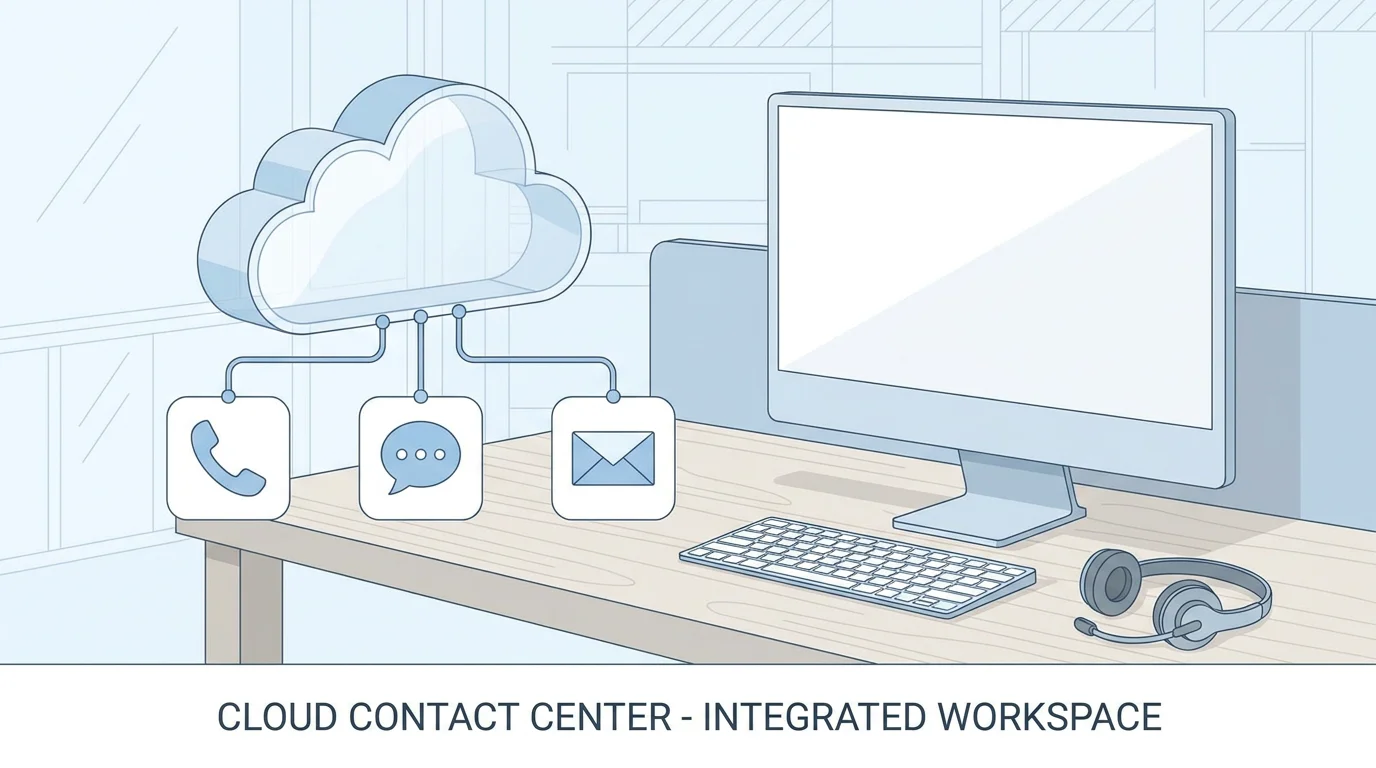
A cloud-hosted contact center is a web-based platform that manages all customer interactions (voice, email, chat, SMS, and social media) without requiring on-premise hardware or dedicated IT infrastructure. The service provider hosts the software on remote servers, and your team accesses it through a secure internet connection on desktops, laptops, or mobile devices.
This architecture eliminates the need to purchase physical servers, PBX systems, or telephony cards. Instead of a capital-heavy installation that can take months, cloud contact center platforms typically deploy in days. Updates, patches, and security improvements are handled automatically by the provider, reducing the burden on internal teams.
It is worth noting the distinction between a cloud call center and a cloud contact center. A call center focuses primarily on voice interactions, while a contact center adds digital channels such as live chat, email, social messaging, and self-service portals. In 2026, most businesses benefit from the broader contact center model, as customers expect to reach support on whichever channel is most convenient for them.
Why Organizations Are Moving to the Cloud
The shift from on-premise to cloud-based systems is accelerating across every industry vertical. According to a 2026 Research and Markets report, the cloud contact center software market is expected to grow from $19.78 billion in 2025 to $22.88 billion in 2026 at a CAGR of 15.7%. Several forces are driving this momentum.
Cost Structure and Capital Efficiency
On-premise contact centers require significant upfront investment in hardware, software licenses, and ongoing maintenance contracts. Cloud platforms operate on a subscription model, converting large capital expenditures into predictable operating expenses. You pay per user, per month, and scale seats up or down as demand changes. For seasonal businesses (retail, tax preparation, real estate) this elasticity translates directly into savings.
Workforce Flexibility
Cloud platforms allow agents to work from any location with a stable internet connection. This is particularly relevant for US businesses managing distributed teams across multiple time zones. Rather than restricting talent acquisition to the geographic radius of a physical call center, you can hire from a national labor pool and onboard new agents without shipping hardware.
Speed of Deployment
Legacy systems can take weeks or months to install, configure, and test. Cloud contact center platforms typically deploy in a matter of days. We offer a deployment model that requires zero hardware, which means your team can begin handling calls almost immediately after configuration.
Essential Features to Evaluate
Not every cloud contact center platform is built equally. When comparing solutions, focus on the features that will have the greatest impact on agent productivity, customer satisfaction, and operational visibility.
Omnichannel Routing
Customers do not limit themselves to a single communication channel. Your platform should unify voice, email, SMS, web chat, and social messaging into a single agent workspace, with a universal queue that prioritizes interactions based on your business rules rather than the channel of origin. By 2026, omnichannel solutions are projected to account for 45% of the CCaaS market, according to Market.us research on CCaaS trends.
Intelligent Call Distribution and IVR
Automatic call distribution (ACD) and interactive voice response (IVR) remain the backbone of any contact center. ACD routes incoming contacts to the most qualified available agent based on skills, priority, or customer history. IVR greets callers, collects information, and enables self-service for simple requests. Together, they reduce wait times and ensure customers reach the right person on the first attempt.
AI-Powered Automation
Artificial intelligence is no longer a premium add-on; it is a core differentiator. AI capabilities worth evaluating include real-time transcription, sentiment analysis, automated call summaries, and virtual agents that handle routine inquiries around the clock. Our AI receptionist answers calls 24/7, schedules appointments, and manages FAQs automatically, freeing your human agents to focus on complex, high-value interactions.
Real-Time Analytics and Reporting
Live dashboards give supervisors instant visibility into metrics such as average handle time, queue depth, and agent adherence. Historical reporting complements this with trend analysis, enabling data-driven decisions about staffing, training, and channel investment. Look for platforms that offer customizable reports and AI-assisted coaching recommendations.
CRM and Third-Party Integrations
Your contact center does not exist in isolation. It must connect seamlessly with your CRM, billing system, helpdesk, and marketing automation tools. Pre-built connectors and open APIs ensure that agents see a unified customer profile without toggling between applications.
Security and Compliance
For industries such as healthcare (HIPAA), finance (PCI DSS), and legal services, compliance is non-negotiable. Evaluate whether the provider offers bank-grade encryption, multi-factor authentication, regular security audits, and clear documentation of compliance certifications. We deliver enterprise-grade security with a 99.9% uptime guarantee and bank-grade encryption.
Cloud Contact Center Software vs. On-Premise: A Quantified Comparison
Choosing between cloud and on-premise is one of the most consequential infrastructure decisions you will make. The table below summarizes the key differences.
| Criterion | Cloud Contact Center (e.g., Cloud Vision Technologies) | On-Premise Contact Center |
|---|---|---|
| Upfront Cost | Minimal; $0 hardware required | High (servers, PBX, licenses) |
| Deployment Time | Days | Weeks to months |
| Scalability | Add or remove seats in minutes | Requires physical infrastructure changes |
| Remote Work | Agents work from anywhere | Agents must be on-site |
| Maintenance | Provider-managed updates and patches | In-house IT responsibility |
| Security | Enterprise-grade, shared responsibility with provider | Full organizational responsibility |
| AI and Innovation | Continuous feature releases via software updates | Limited to existing capabilities |
| Uptime Guarantee | 99.9% SLA | Dependent on internal hardware reliability |
According to Fortune Business Insights, the on-premise deployment segment still accounted for 53.55% of total contact center market share in 2026, but it is expected to see declining growth due to high investment costs, while cloud adoption accelerates thanks to ease of implementation and reduced operational expenses. The trajectory is clear: cloud is where investment and innovation are converging.
How AI Is Reshaping the Contact Center in 2026
Artificial intelligence is the single largest differentiator in the current generation of contact center platforms. Its impact spans the full lifecycle of a customer interaction.
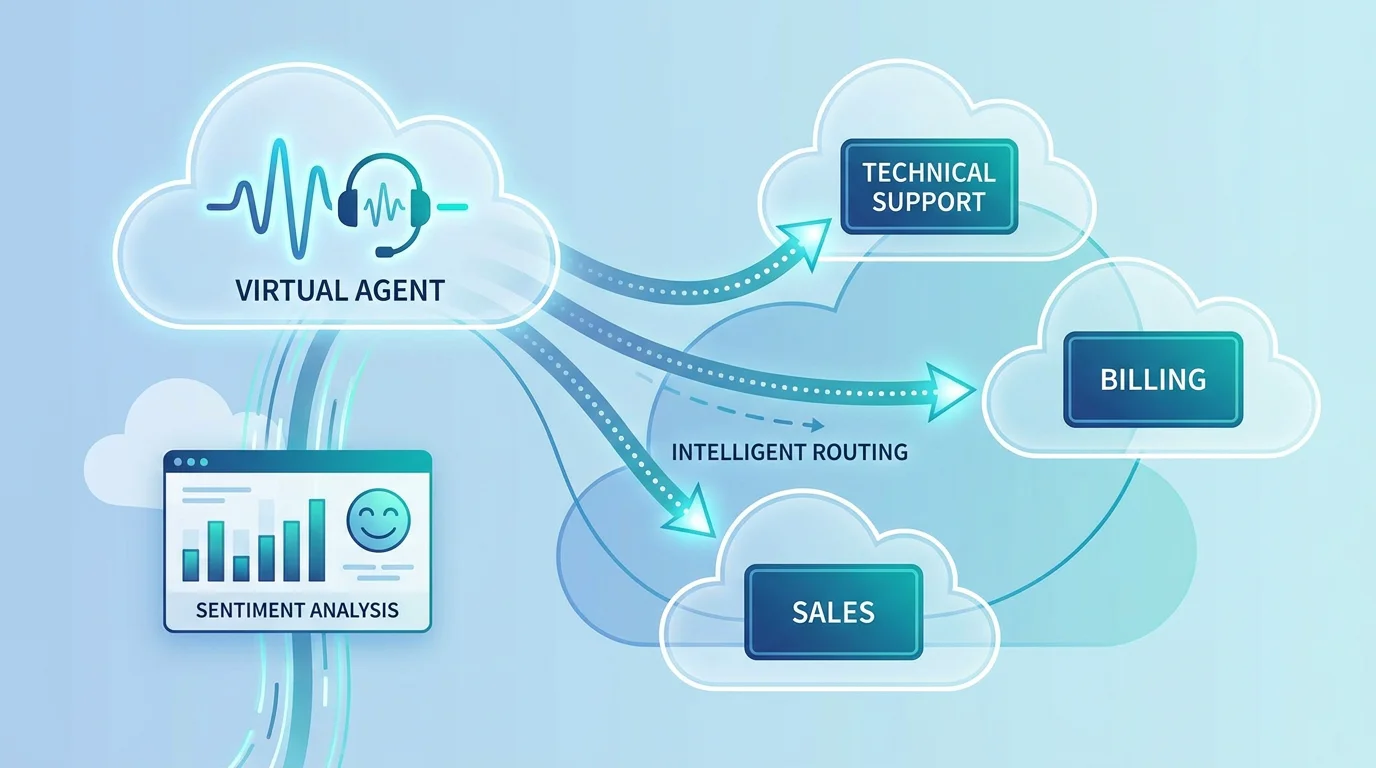
Before the interaction: Natural language processing classifies intent from the customer’s initial message or voice input, routing the inquiry to the most appropriate agent or self-service path. Predictive analytics forecast call volumes and optimize staffing schedules accordingly.
During the interaction: Real-time transcription, keyword detection, and sentiment scoring give agents and supervisors immediate insight into the conversation’s direction. AI-driven knowledge suggestions surface relevant articles and scripts without the agent needing to search manually.
After the interaction: Automated call summaries and disposition codes eliminate manual post-call work. Quality management tools powered by AI can evaluate 100% of interactions rather than a small sample, flagging compliance risks and coaching opportunities at scale.
The penetration of artificial intelligence and automation is facilitating the advancement and improvement of processes in contact centers and increasing customer satisfaction, according to a Research Nester analysis of the cloud-based contact center market. For US businesses competing on customer experience, adopting AI-native platforms is no longer optional.
Industry-Specific Use Cases
Cloud-based contact center software is not a one-size-fits-all solution. Its value compounds when the platform is tailored to the regulatory and operational demands of your industry.
Healthcare and Dental Practices
Patient communication requires HIPAA-compliant channels, appointment scheduling automation, and after-hours coverage. A cloud platform with an integrated AI voice agent can answer calls outside business hours, confirm appointments, and route urgent inquiries to on-call staff, all while maintaining compliance.
Legal and Professional Services
Law firms and professional services organizations handle sensitive client communications that demand encryption, call recording, and audit trails. Cloud platforms provide these capabilities natively, without the cost of building and maintaining a compliant on-premise system.
Sales Organizations and Financial Services
High-volume outbound teams need auto-dialers, campaign management, and real-time performance dashboards. Financial services teams add regulatory recording and archiving requirements. A cloud contact center delivers both, scaling seamlessly as your team grows. To quantify the savings before committing, you can use our VoIP savings calculator to model your specific cost reduction.
How to Choose the Right Platform
Selecting a cloud contact center is a strategic decision that extends well beyond feature checklists. The following framework will help you evaluate vendors objectively.
1. Map your current and future needs. Identify your channel mix (voice, chat, email, social), expected call volumes, and any compliance requirements specific to your industry. Distinguish between features you need today and those you will need within 18 to 24 months.
2. Evaluate total cost of ownership. Compare subscription pricing against the hidden costs of on-premise: hardware depreciation, IT staffing, maintenance contracts, and upgrade cycles. A starting price of $16.99 per user per month, as we offer, provides a clear, predictable cost baseline without hardware investment.
3. Assess integration depth. Confirm that the platform offers pre-built connectors for your CRM, helpdesk, and billing systems, as well as open APIs for custom workflows. Bi-directional data synchronization ensures agents always have a single source of truth.
4. Verify uptime and security commitments. Request documentation of the provider’s SLA, data encryption standards, and compliance certifications. A 99.9% uptime guarantee, backed by redundant data centers, should be the minimum threshold.
5. Test the vendor experience. Request a live demo or trial period. Evaluate the onboarding process, the quality of dedicated support, and the platform’s usability for both agents and supervisors.
The North American Market Landscape
The United States remains the largest single market for cloud-based contact center technology. North America dominated the global contact center software market with a share of 25.70% in 2025, according to Fortune Business Insights. This leadership position is fueled by early cloud adoption, a mature SaaS ecosystem, and growing demand for AI-powered customer experience tools.
Emerging technologies such as artificial intelligence, cloud computing, predictive analysis, and machine learning are projected to enhance contact center software capabilities further throughout the decade. For US businesses, this means the competitive gap between cloud-enabled organizations and those still on legacy systems will continue to widen.
The healthcare, BFSI (banking, financial services, and insurance), and retail sectors are among the fastest-growing adopters. If your organization operates in any of these verticals, the strategic case for migrating to a cloud contact center grows stronger each quarter.
Making the Transition: What to Expect
Migrating from an on-premise or legacy system to a cloud contact center involves planning, but the process is far less disruptive than most organizations anticipate. Here is what a typical transition looks like.
Discovery and planning (Week 1): The provider audits your existing setup, maps your call flows, and documents integration requirements. This is also the time to define your routing rules, IVR menus, and user permissions.
Configuration and testing (Weeks 2 to 3): The platform is configured to match your specifications, integrations are connected, and a pilot group of agents tests the system under real conditions. Adjustments are made based on feedback.
Go-live and optimization (Week 4+): The full team transitions to the new platform. Real-time dashboards allow supervisors to monitor performance from day one, and ongoing optimization ensures the system evolves alongside your business needs.
The entire process, from initial consultation to live deployment, typically takes days to a few weeks rather than months. With no hardware to install, the primary investment is in configuration and training.
Conclusion
The case for cloud-based contact center software is grounded in measurable outcomes: lower infrastructure costs, faster deployment, greater workforce flexibility, and AI-driven improvements to both agent performance and customer satisfaction. The market reflects this conviction, with projections indicating growth from $19.78 billion in 2025 to over $40 billion by 2030.
For organizations across healthcare, legal services, financial services, sales, and retail, the question is no longer whether to adopt a cloud contact center but how quickly you can make the transition. We provide an integrated platform that combines Hosted VoIP, an AI Voice Agent, and Cloud Contact Center Software with enterprise security, a 99.9% uptime guarantee, and a starting price of $16.99 per user per month.
To see how this works for your team, explore our cloud contact center services and book a free demo today.
Frequently Asked Questions
What is the difference between a cloud call center and a cloud contact center?
A cloud call center focuses primarily on voice-based interactions, managing inbound and outbound phone calls. A cloud contact center extends beyond voice to include email, live chat, SMS, social media, and self-service channels within a single unified platform. For most businesses in 2026, the contact center model is the more complete solution.
How much does cloud contact center software cost?
Pricing varies by provider and feature tier, but subscription models typically start between $15 and $75 per user per month. Our platform begins at $16.99 per user per month, with no hardware costs, making it accessible for SMBs and scalable for enterprise teams.
Is cloud contact center software secure enough for regulated industries?
Reputable providers implement bank-grade encryption, multi-factor authentication, and regular compliance audits aligned with standards such as HIPAA and PCI DSS. When evaluating a platform, request documentation of their specific certifications and security architecture before committing.