If you run a small or medium-sized business, VoIP call recording is one of the most powerful — and most underused — features on your cloud phone system. Whether you need to train your team faster, resolve customer disputes, or meet industry compliance requirements, recording calls on your hosted VoIP system gives you an instant audit trail and a coaching tool that traditional landlines simply cannot provide.
In this 2026 guide, we break down how VoIP call recording works, why SMBs are making it standard practice, which compliance rules apply to your business, and the best practices for getting maximum value out of this feature on Cloud Vision’s cloud phone system.
What Is VoIP Call Recording for Small Business?
VoIP call recording is a cloud-hosted feature built into modern business phone systems that automatically captures both sides of every inbound and outbound call, then stores those recordings securely in the cloud. Unlike the tape recorders and on-premise hardware of legacy PBX systems, hosted VoIP call recording requires zero hardware investment and zero on-site IT support.
With Cloud Vision’s hosted VoIP platform, call recording is available as a standard feature — not an expensive add-on. You can:
- Record automatically on all calls, or selectively by extension or department
- Access recordings instantly from your web dashboard, desktop app, or mobile device
- Store calls securely with bank-grade encryption and role-based access controls
- Set retention policies to keep recordings for 30, 60, or 90+ days based on your compliance needs
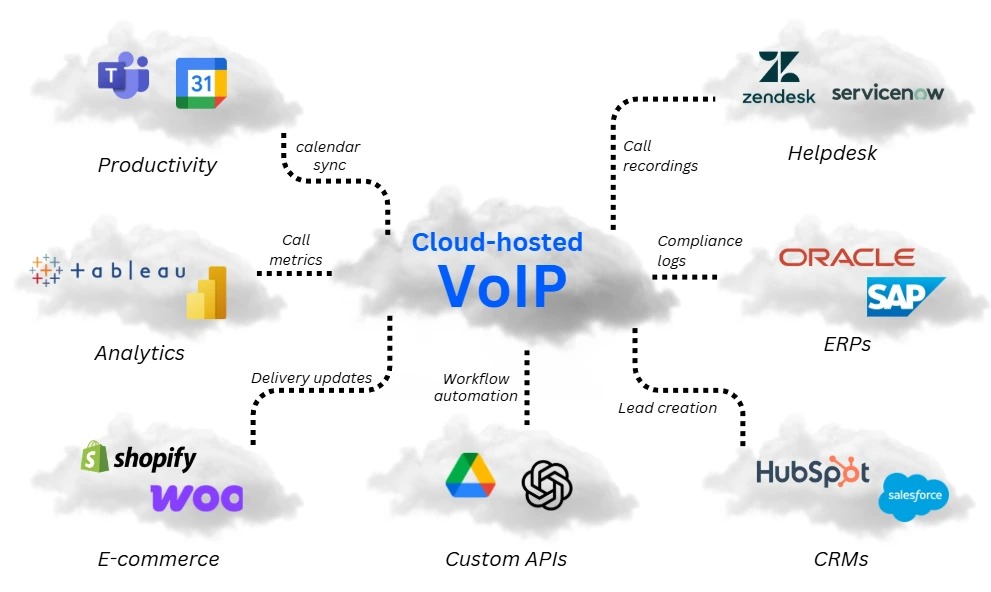
5 Reasons SMBs Are Turning On VoIP Call Recording
1. Accelerate New Employee Training
Real call recordings are the most valuable training material available — and once your VoIP system is running, they’re free. Managers can pull examples of high-converting sales calls or ideal customer service interactions and share them with new hires directly from the dashboard. Training that used to take weeks can compress into days.
2. Resolve Customer Disputes Instantly
When a customer claims a price was promised that wasn’t, or a commitment was made that no one remembers, a call recording ends the argument in seconds. This protects your business legally and keeps your reputation intact — no more awkward he-said-she-said situations that erode customer trust.
3. Improve Sales Conversion Rates
Sales teams that review their own calls regularly close significantly more deals. Recording reveals exactly where conversations stall — a weak opening, an unanswered objection, or a missed follow-up. With Cloud Vision’s VoIP analytics dashboard, managers can spot patterns across hundreds of calls and coach to the data, not just gut feeling.
4. Meet Industry Compliance Requirements
Healthcare, legal, financial services, dental practices, and real estate businesses often face regulatory requirements to document client communications. Cloud call recording gives compliance teams an organized, searchable archive of every customer interaction — making audits and regulatory reviews straightforward.
5. Run a Quality Assurance Program
Call recordings are the foundation of any effective QA program. Score calls against a rubric, track trends over weeks and months, and see exactly where your customer experience is improving — or where it needs attention. Even a two-person team benefits from systematic call review.
VoIP Call Recording Compliance: What SMBs Need to Know
Call recording laws are a legitimate concern, and the rules vary by state and industry. Here is what every SMB owner needs to understand before enabling recording on their cloud phone system.
Federal Law: One-Party Consent
Under the federal Wiretap Act, recording a phone call is legal when at least one party consents — and the business placing or receiving the call typically counts as that consenting party. This is called “one-party consent.”
State Laws: All-Party Consent in 11+ States
California, Florida, Illinois, Michigan, Montana, Nevada, New Hampshire, Oregon, Pennsylvania, Washington, and Connecticut require all parties on a call to consent to recording. The simplest and most common business practice is to play an automatic disclosure message at the start of every call: “This call may be recorded for quality assurance and training purposes.” This satisfies consent requirements in every U.S. state. For a detailed state-by-state breakdown, the National Conference of State Legislatures maintains an updated legal reference.
Industry-Specific Rules
- Healthcare (HIPAA): Recordings containing patient information must be encrypted, access-controlled, and stored with audit logs. Cloud Vision’s platform is designed to support these requirements.
- Financial Services (FINRA/SEC): Certain broker-dealer and registered investment adviser communications must be archived for 3–7 years.
- Payment Card Processing (PCI DSS): Never record calls during which cardholders verbally provide full credit card numbers. Pause or stop recording during the payment capture moment.
Best practice: Configure your hosted VoIP system to play a consent disclosure automatically on every inbound and outbound call. Cloud Vision’s platform includes this as a built-in, configurable option — no extra software needed.
How Cloud VoIP Call Recording Works (and Why It Beats Legacy Systems)
Traditional call recording required expensive on-premise hardware — dedicated recording servers, physical storage, and an IT team to maintain it. Cloud-based VoIP call recording eliminates every one of those costs.
When you use a hosted VoIP platform, the recording happens at the carrier level — in the cloud, before the audio even reaches your phone or computer. That means:
- $0 hardware costs — No recording servers or physical storage appliances to buy or maintain
- Instant access — Recordings appear in your dashboard within seconds of hanging up
- Device-agnostic — Works on desk phones, softphones, mobile apps, and laptops equally
- Automatic cloud backup — Recordings are never lost due to a local hardware failure
- Unlimited scalability — Add users and locations without purchasing additional equipment
At Cloud Vision, call recording is integrated directly into the same portal as your phone system — alongside voicemail-to-email transcription, smart call routing, and call analytics. No separate logins or third-party apps required. Explore Cloud Vision’s hosted VoIP features.
VoIP Call Recording Best Practices for SMBs
- Always notify callers. Configure an automatic consent announcement on every call. This is legally required in many states and builds customer trust.
- Set a clear retention policy. For most SMBs, 60–90 days covers training, dispute resolution, and quality assurance needs. Compliance-driven businesses should consult a legal or compliance advisor.
- Control access by role. Configure permissions so department managers access their team’s recordings, with separate executive-level access for broader review.
- Pair recording with your CRM. When call recordings link directly to CRM contact records, your team has full customer context before every follow-up. See how this works in our guide to VoIP CRM integration for small business.
- Review recordings weekly as a team. Pick 2–3 calls per week to discuss in team meetings — celebrate great calls, work through coaching moments. This practice compounds quickly into measurable customer experience improvements.
Frequently Asked Questions About VoIP Call Recording
Is VoIP call recording legal for small businesses?
Yes — when done correctly. Federal law requires one-party consent; 11+ states require all-party consent. Playing a standard “this call may be recorded” announcement at the start of every call satisfies legal requirements across all 50 states. Always consult an attorney for industry-specific compliance guidance.
Does VoIP call recording affect call quality?
No. Cloud-based recording runs in parallel with the call at the carrier level. It adds no latency and does not degrade audio quality. Cloud Vision’s platform maintains a 99.9% uptime guarantee with HD voice quality on every call.
Can I record calls made on a mobile VoIP app?
Yes. Because cloud recording happens at the carrier level — not on the device — it works identically whether your team uses desk phones, softphones, or mobile apps. All calls route through the same cloud infrastructure, so every call is automatically captured regardless of the device used.
How long should I keep call recordings?
For most SMBs, 60–90 days covers training, dispute resolution, and quality assurance. Businesses in healthcare, financial services, or legal fields should follow applicable regulatory requirements, which can range from 3 to 7 years depending on the rule.
Is call recording included in Cloud Vision’s VoIP plan?
Yes. Call recording is a standard feature of Cloud Vision’s hosted VoIP system — no hardware required and no expensive add-on fee. It is included alongside voicemail-to-email, auto-attendant, smart call routing, and mobile/desktop apps. Call 844-921-3412 to learn more or get a custom quote for your business.
Start Recording Smarter with Cloud Vision
Cloud Vision’s hosted VoIP system brings enterprise-grade call recording, analytics, and compliance tools to SMBs — with $0 hardware required and go-live in days, not months. Whether you are in healthcare, legal, financial services, retail, or professional services, our cloud phone system is built to grow with your business.
Ready to see it live? Call us today at 844-921-3412 or book your free demo below. Our team will walk you through a personalized VoIP Power Preview tailored to your industry and team size.